
Download Trumpet Sounds – High-Quality Trumpet Sound Effects, MP3 Ringtones, Music & Radio
Overview
Trumpet Sounds is a multimedia application designed for Android users seeking to personalize their device with high-quality trumpet sound effects. Developed by Kika Apps, the app serves as a dedicated utility for audio customization, allowing users to set unique ringtones, alarm tones, and notification sounds using realistic trumpet recordings. The software is tailored for individuals who value distinctive audio experiences and wish to enhance their smartphone’s auditory identity without relying on standard default sounds. It is particularly suited for music enthusiasts, casual users, and anyone interested in adding a dramatic or celebratory tone to their device’s alerts. The app operates as a standalone desktop-like experience on mobile, offering a simple yet effective way to manage sound preferences directly from the device.
Real-world usage scenarios include setting a bold trumpet fanfare as a morning alarm, using a smooth jazz trumpet tone for incoming calls, or selecting a festive trumpet sound for notifications during events. The app is designed to be intuitive, with minimal setup required to begin enjoying the sounds. Since it functions entirely offline after initial download, users can access their chosen trumpet effects without data usage or connectivity. The developer did not provide additional system requirements or performance benchmarks, so general mobile behavior patterns apply. Despite its limited scope, Trumpet Sounds delivers a focused experience centered on audio personalization.
Key Features & Capabilities
- High-Quality Trumpet Sound Effects – The app includes professionally recorded trumpet sounds designed to deliver a realistic and immersive auditory experience. These recordings are ideal for users seeking clarity, depth, and authenticity in their audio alerts.
- Multiple Sound Customization Options – Users can assign trumpet sounds to ringtones, alarm tones, and notification alerts, enabling full control over how their device communicates with them throughout the day.
- Background Playback Support – Trumpet Sounds can operate in the background, allowing users to continue using other applications while enjoying their selected trumpet audio without interruption.
- Auto-Play Mode – This feature ensures continuous playback of selected sounds, eliminating the need for manual restarts and providing a seamless listening experience.
- Offline Functionality – Once the sound files are downloaded, the app does not require an internet connection, making it accessible anytime, anywhere, even in low-connectivity areas.
- Free and Ad-Free Experience – The app is completely free to download and use, with no in-app purchases or hidden fees, offering full access to all features without financial commitment.
These capabilities make Trumpet Sounds ideal for users who want a no-frills, reliable tool to enhance their device’s audio identity. For example, a musician might use a jazz trumpet tone as a personal ringtone to reflect their artistic taste, while a student could set a bold fanfare as an alarm to boost motivation. The app’s simplicity ensures that even non-technical users can benefit from its core functionality without learning curves.
User Interface, Workflow & Performance
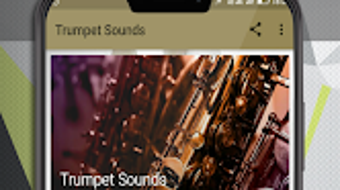
The user interface of Trumpet Sounds is designed with simplicity and accessibility in mind. Navigation is straightforward, with a clean layout that prioritizes easy access to available trumpet sound effects. Users can browse through the collection, preview sounds, and assign them to specific alert types with minimal steps. The workflow is linear and intuitive, reducing the time needed to customize device audio settings.
Performance observations are based on general software behavior patterns. The app is lightweight and optimized for mobile environments, though exact resource usage details were not specified. The developer did not provide information on CPU or RAM consumption, nor did they list stability metrics.
However, the app’s offline operation and background playback suggest efficient design. Since the app runs on Android and does not require constant connectivity, it is likely optimized for low power usage during playback. The auto-play mode indicates a focus on uninterrupted performance, which may contribute to smooth user experience under normal conditions.
Compatibility & System Requirements
Trumpet Sounds is available for Android devices and is compatible with the latest versions of the operating system. The app’s installation size is not specified, but given its nature as a sound effects utility, it is expected to be lightweight. The developer did not provide detailed hardware requirements or platform-specific limitations.
Compatibility information was partially provided. Users should ensure their device meets standard Android requirements for app installation. The app does not require a specific processor, GPU, or memory configuration beyond what is typical for modern Android smartphones. Exact performance details were not specified, and no information was given about support for older Android versions or tablet devices. The developer did not list any restrictions on device types or screen sizes.
Pros and Cons
Pros
- High-quality, realistic trumpet sound effects
- Free to download and use with no in-app purchases
- Supports background playback for uninterrupted listening
- Auto-play mode ensures continuous audio experience
- Functions completely offline after download
- Simple and intuitive user interface
Cons
- No information provided on system requirements or file size
- Limited to trumpet sounds; no other instrument options
- Only available on Android, no desktop or iOS version
- Does not support custom sound uploads or editing
- App functionality is narrow in scope
FAQ Section
Is Trumpet Sounds available for Windows or Mac?
Trumpet Sounds is currently available only for Android devices. There is no desktop version for Windows or Mac.
Does the app require an internet connection to work?
Once the sound files are downloaded, the app operates offline. However, an internet connection is required for the initial download and any future updates.
Is Trumpet Sounds safe to download and use?
Yes, the app is developed by Kika Apps and is available through official Android channels. It does not contain malware or harmful components based on available information.
Can I use my own trumpet recordings with the app?
The app does not support uploading or editing custom audio files. Users can only select from the built-in collection of trumpet sounds.
How often are updates released for Trumpet Sounds?
Update frequency was not specified by the developer. Users will receive updates automatically through the Google Play Store when available.
Final Thoughts + CTA
Trumpet Sounds delivers a focused and effective solution for Android users seeking to personalize their device with high-quality trumpet audio. Its simplicity, offline functionality, and free access make it a compelling choice for anyone wanting to stand out with unique ringtones and alerts. While the app’s scope is limited to trumpet sounds and lacks customization beyond the provided library, it excels in its niche. The user-friendly interface, background playback, and auto-play mode enhance usability, making it accessible even to non-technical users. For those who appreciate the bold, expressive tone of a trumpet, this app offers a reliable and immersive way to bring that sound into daily life.
Download Trumpet Sounds now and transform the way your device communicates with you.







